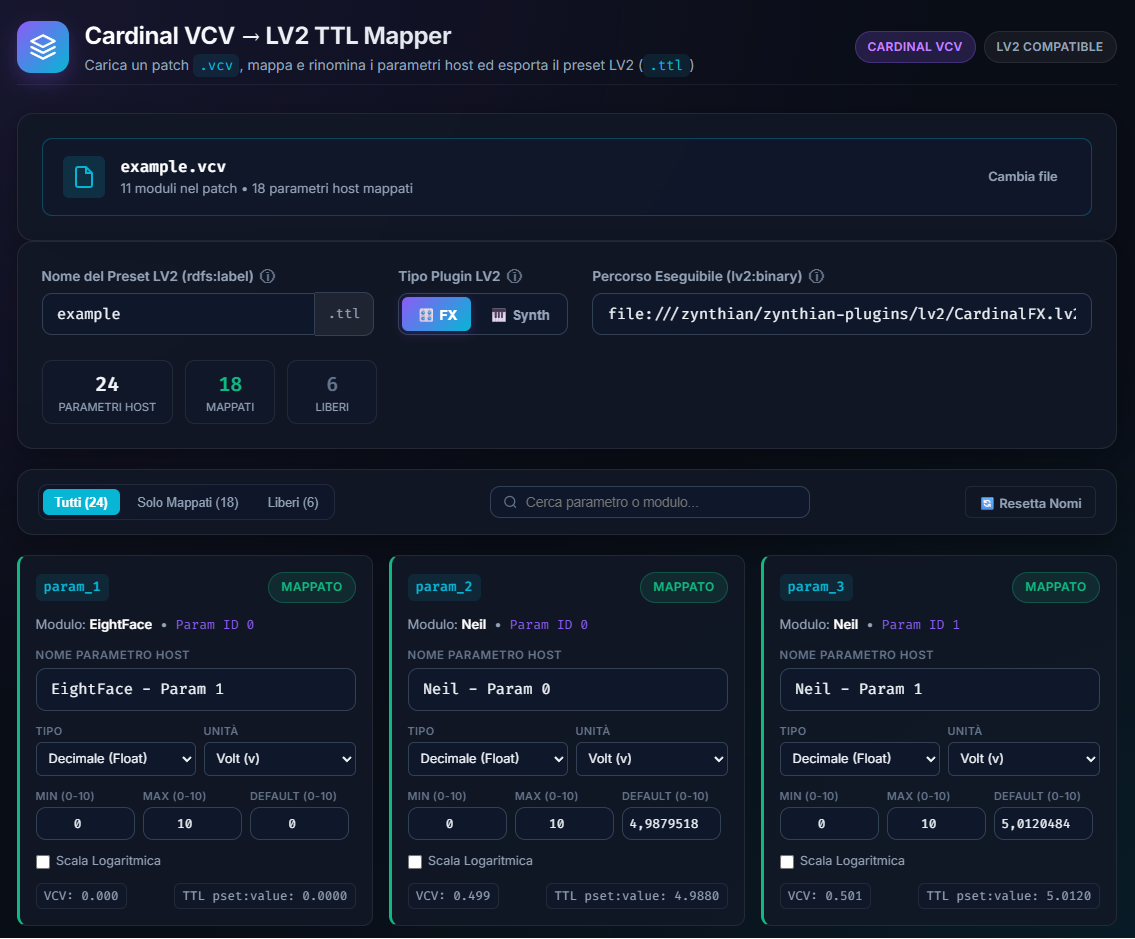
Do you need to quickly create LV2 (.ttl) presets for Cardinal in Zynthian? Do you want to have custom parameters names and labels?
With this tool you can create LV2 (.ttl) presets for Cardinal and also custom LV2 Plugin Wrappers with custom parameters labels and names, starting from a .vcv patch file saved from Cardinal.
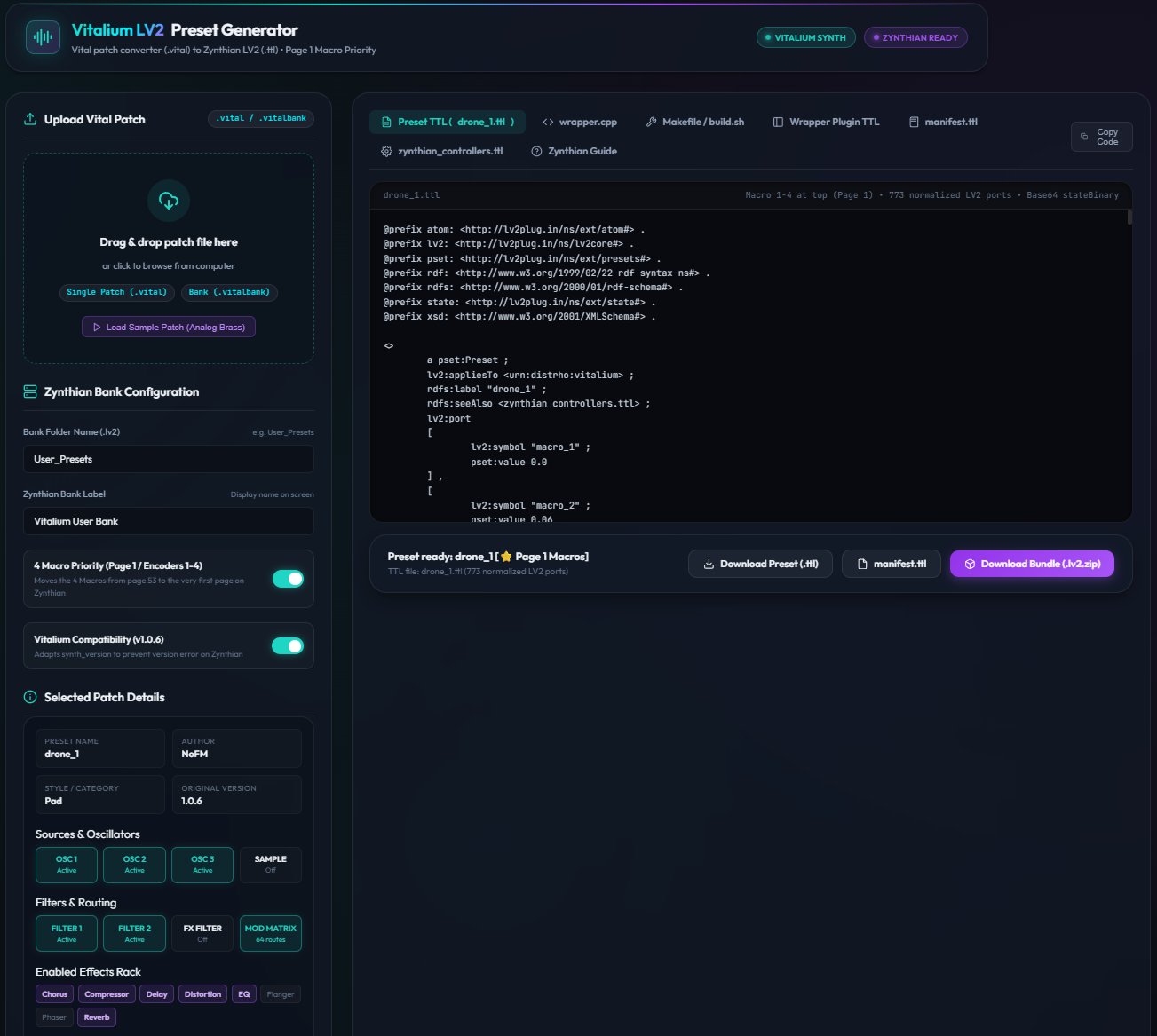
Do you need to quickly create LV2 (.ttl) presets for Vitalium (Vital clone) in Zynthian? Do you want to have custom parameters names and labels?
With this tool you can create LV2 (.ttl) presets for Vitalium and also custom LV2 Plugin Wrappers with custom parameters labels and names, starting from a .vital patch file saved from Vitalium (or Vital up to version 1.0.6).
Here are the minimal, step-by-step instructions to configure your Zynthian for compiling the C++ wrappers directly via SSH:
Prerequisites & Setup on Zynthian
1. Connect via SSH
Open your terminal (PowerShell, Command Prompt, macOS/Linux Terminal) and connect to your Zynthian as root:
ssh root@zynthian.localopensynth)2. Install Compiler Tools & LV2 Headers
Install g++, make, and the LV2 development header files (lv2-dev provides <lv2/core/lv2.h>, <lv2/worker/worker.h>, etc.):
apt-get updateapt-get install -y build-essential lv2-dev
How to Compile a Generated Wrapper
Once the tools are installed, you can build any generated wrapper in seconds:
1. Copy the Wrapper Bundle
Extract your .lv2.zip bundle and copy the plugin folder (e.g. Vitalium_Analog_Brass_wrapper_cpp.lv2) to:
/zynthian/zynthian-plugins/lv2/
scp to transfer it)2. Run the Build Script
Navigate to the directory on Zynthian and execute:
cd /zynthian/zynthian-plugins/lv2/Vitalium_Analog_Brass_wrapper_cpp.lv2build.sh
(Alternatively, you can run the direct g++ command):g++ -O2 -fPIC -shared wrapper.cpp -o Vitalium_Analog_Brass.so -Wl,-z,nodelete -ldl -lpthread
Register on Zynthian
- Open the Zynthian Webconf in your browser:
http://zynthian.local - Navigate to SOFTWARE → Engines.
- Click “Scan for Engines” and toggle the new engines.
- Click “SYSTEM → Reboot” or execute
systemctl restart zynthianvia SSH
The new synth engine will now show up in your instrument list.